


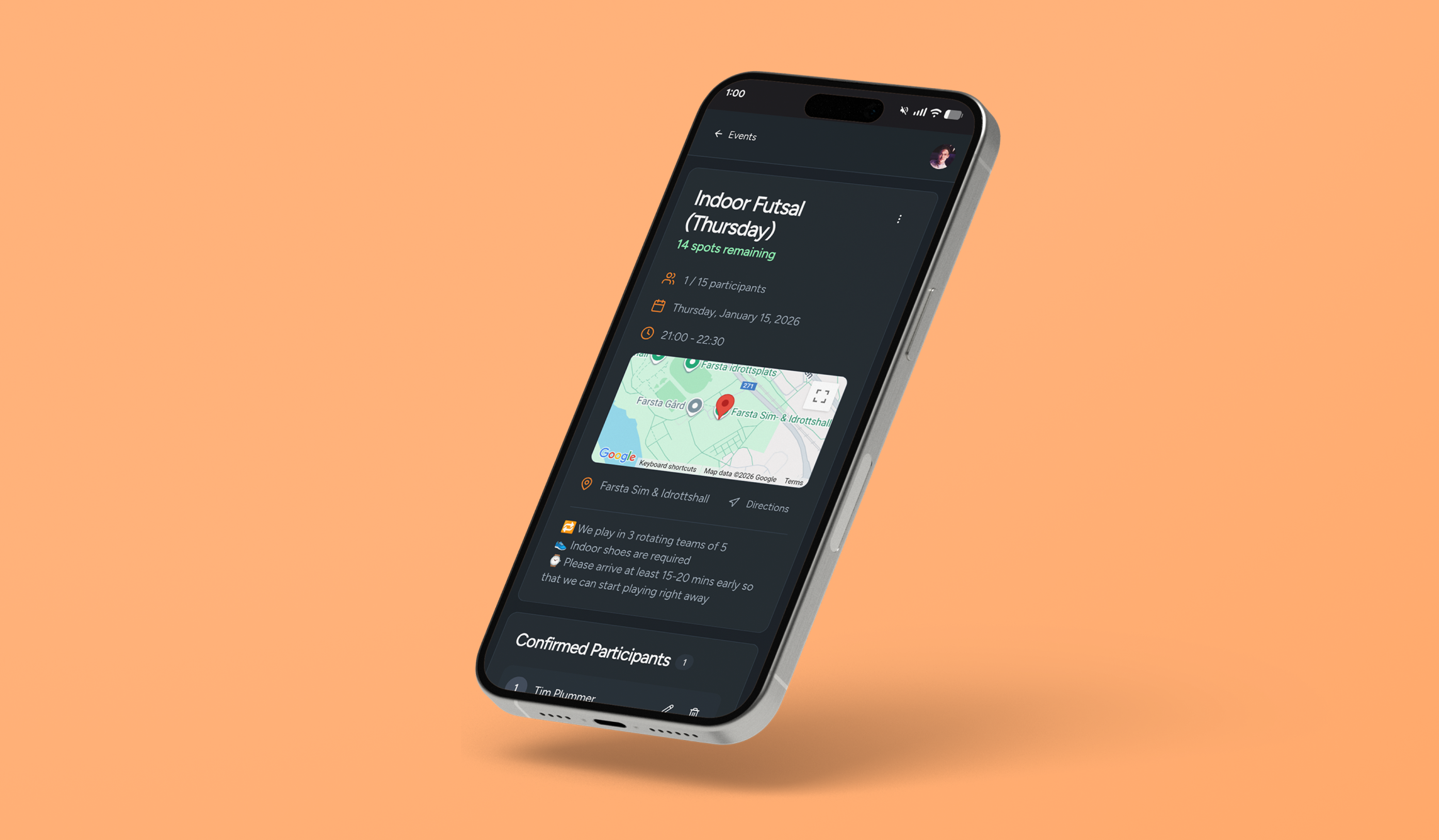
Sports signup
I organize pickup football for a community of 190 people. For nearly 5 years, we relied on a single WhatsApp thread to sign up for slots every week. As the group became more popular, the copy-pasted list became increasingly unwieldy and prone to issues like accidental deletions. I decided enough was enough and set out to build a free slot-based signup system myself. I picked Lovable as my vibe-coding companion of choice because it’s purpose-built for making concise webapps with proper backend and email integrations.
location
Stockholm, Sweden
role
Full-stack designer
Responsibilities
Concepting
UX & UI
Development & Testing
tools used
Lovable
Resend
Google Cloud
Getting started
this was my first foray into vibe coding and I opted to keep the initial prompt simple and to the point:
Build a responsive website where people can sign up for a limited number of slots available for a specific event, i.e. a sports game with limited space for players. The host should be able to set the name, date, time, and location. Attendees should be able to add their info. The list should fill up in order, and there should also be a waitlist if the list fills up but someone drops out. Ideally we would send email or text to someone if they get onto the list from the waitlist.
Having since used AI agents extensively in my day job, if I were starting this project again I would provide more detailed up-front context on the desired visual identity and exact expected functionality in a markdown file to prevent headaches further on down the line. That being said, my short prompt was enough to get me a (mostly) functional first draft of the site.
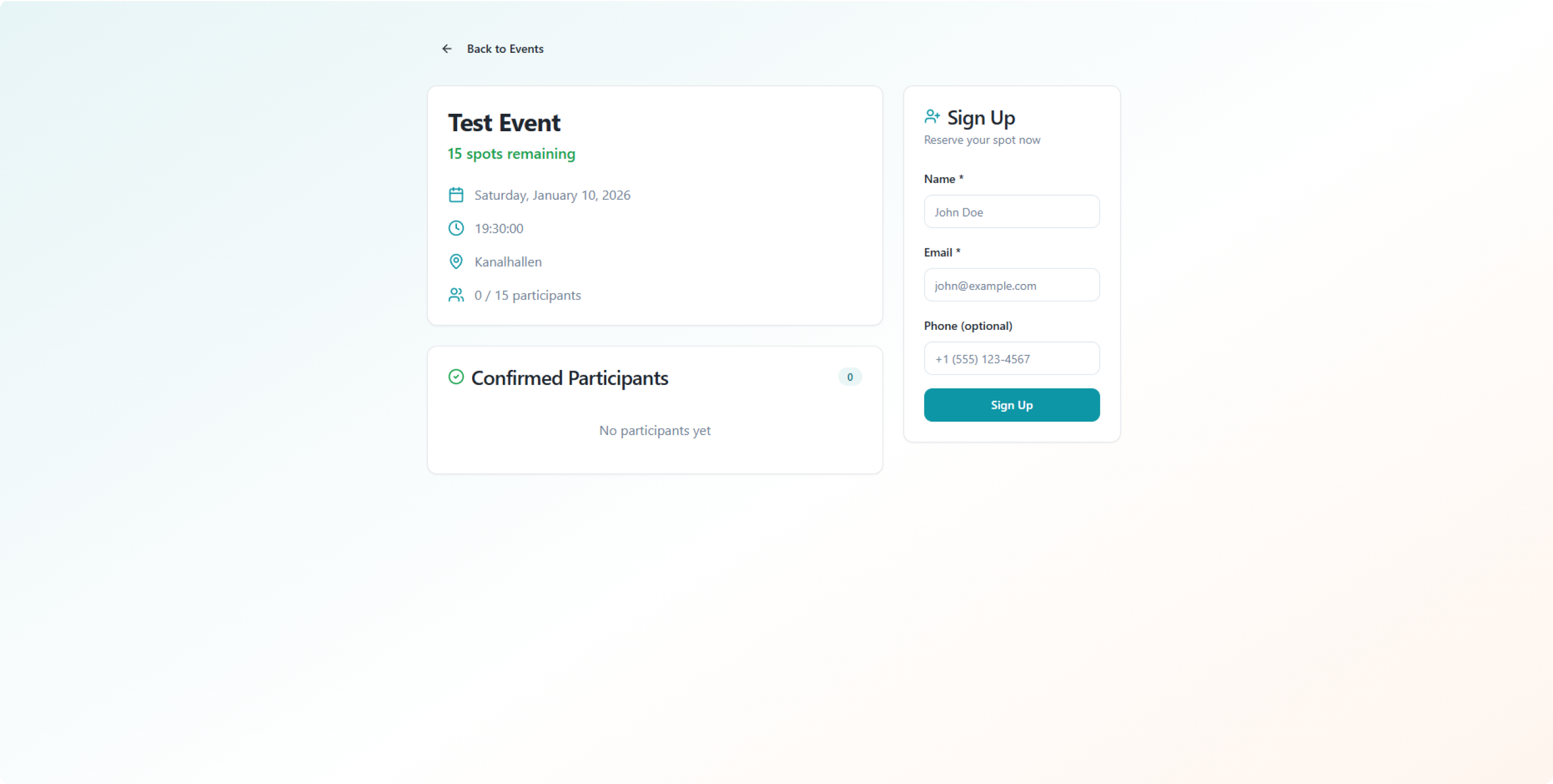
Lovable's first pass at a signup system.
The core functionality was present, but there was a lot I still wanted to add and change before I took it to my football group, including:
- Visual design overhaul
- Mobile responsive tweaks
- Functional waitlist and backend
- Email / Google OAuth account signup
- Editable account settings
- Prefilled form submission
- Email notifications
- Event sharing
- Event editing
- Get directions button
- Add to calendar button
- Google Places integration
- User roles & management page for admins
It was time to get prompting.
AI Agents: a love/hate relationship
The first draft was loosely functional, but the visual design language didn’t speak to me at all. I used Lovable’s newly added design systems management page to take it in a more coherent direction, with dark bluish greys, orange accents, and a more playful geometric typeface (Figtree) holding the experience together. I kept the card-based layout with rounded corners and adapted it to work better on mobile, since that would be how most people in my WhatsApp group chat would use the site.
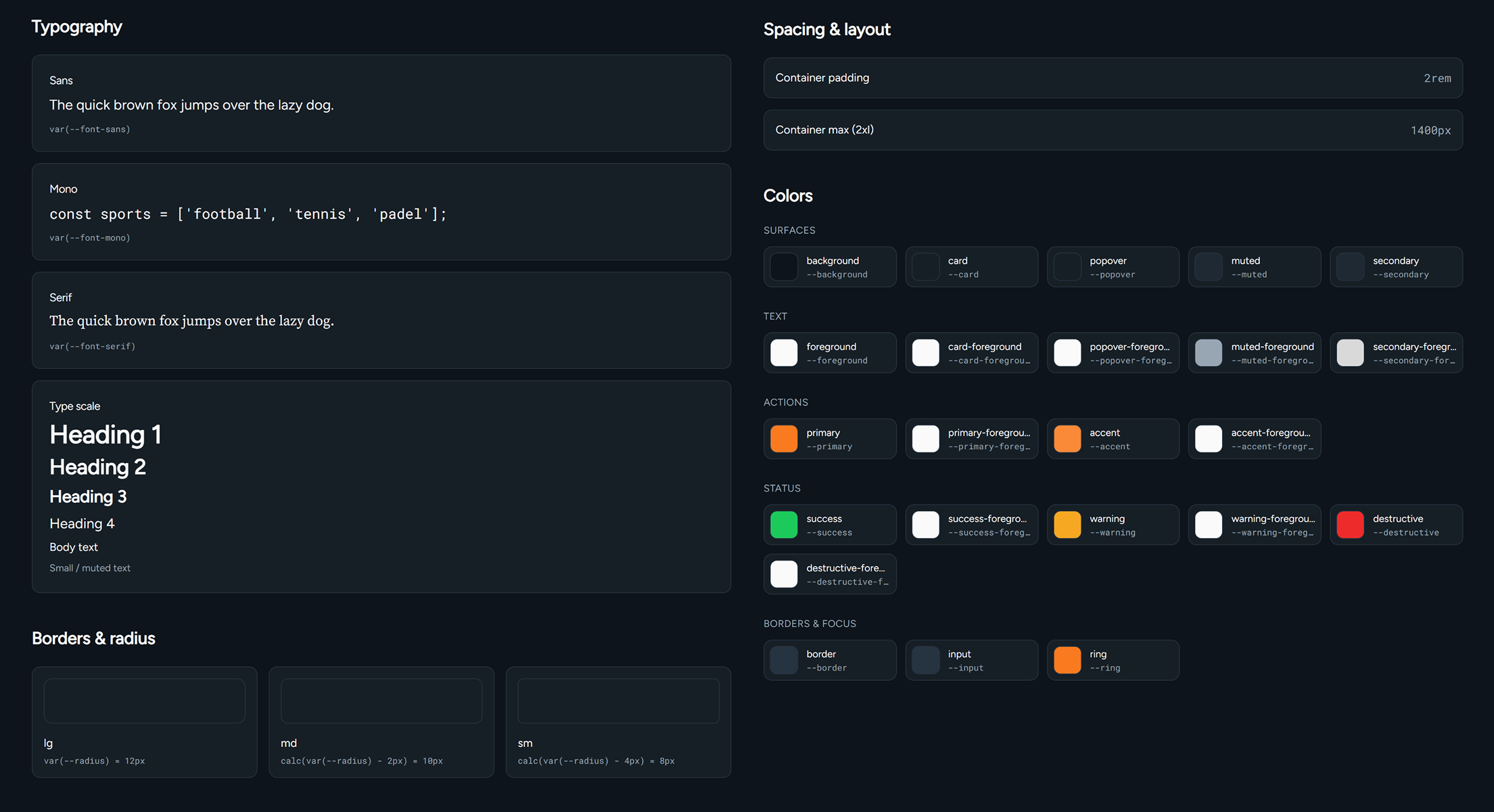
Refined design system tokens
With the visual design honed, I moved on to the most time-consuming part of the entire process: wrangling AI agents to make the end-to-end experience function exactly as I envisioned. This meant touching every single part of the user journey, from the organizer creating events to the end user signing up to the reminder emails to ensure good attendance to the backend that makes it all work in an orderly and consistent way. My dev experience was limited when I started this project and I was relying on Lovable to guide me, but I quickly realized that even trained agents have their limitations.
For example, the initial output was using a fully public data table to store signup and waitlist information. Anyone with moderate technical know-how could go into the page and add themselves to the list, or remove others at will. Lovable’s automatic security reviewer bot was clever enough to find this and suggest a fix, but it wasn’t clever enough to realize that fixing this risk would fundamentally break all of the core sign up and waitlist promotion functionality. It was a surprise to me to break everything with what looked like a simple security fix, but it gave me a newfound appreciation for the kind of problems that experienced developers have to deal with when working on much, much larger codebases.
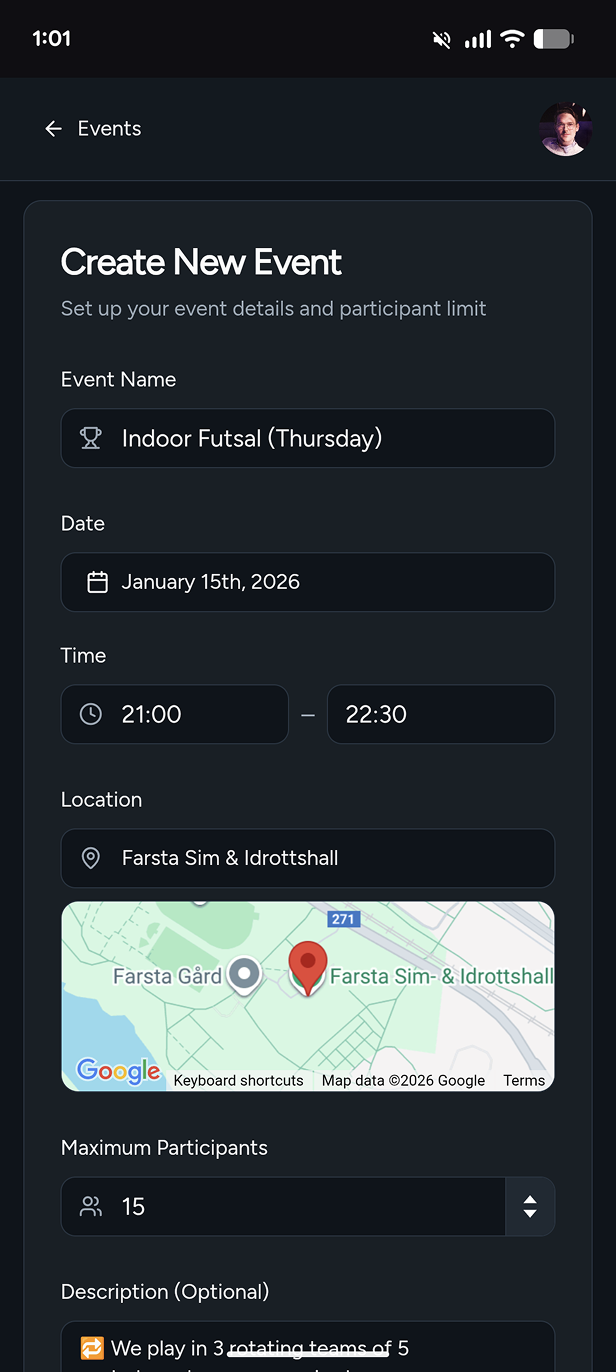
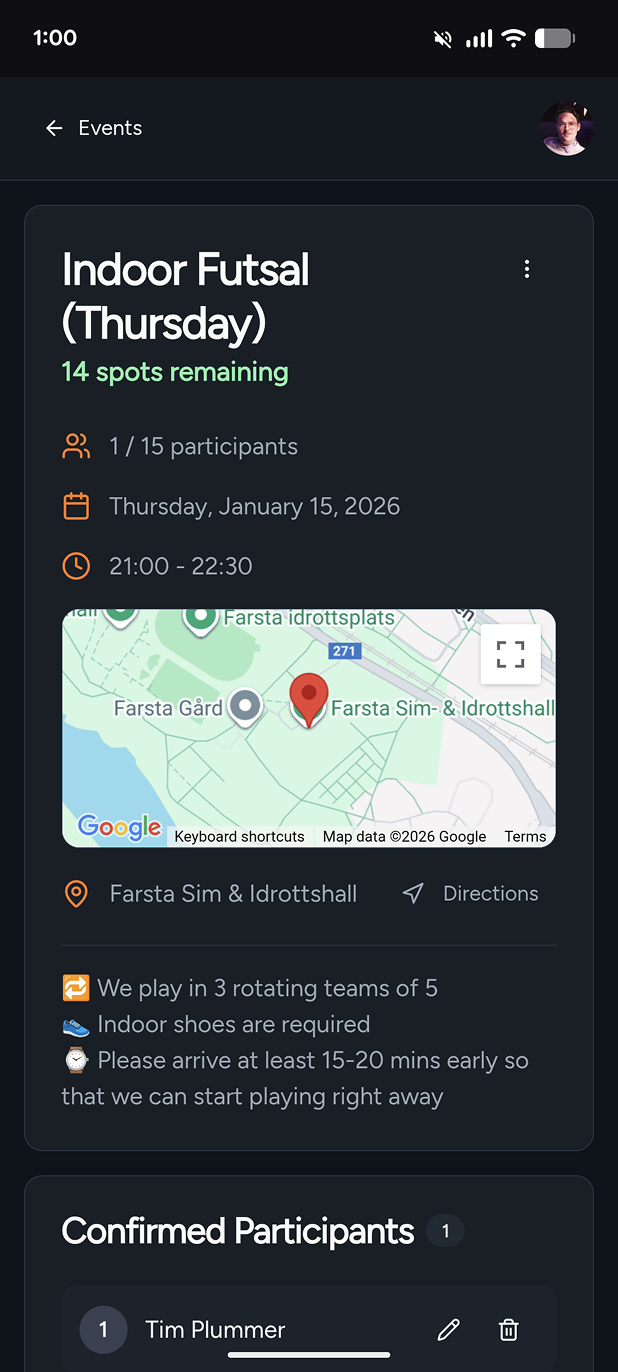
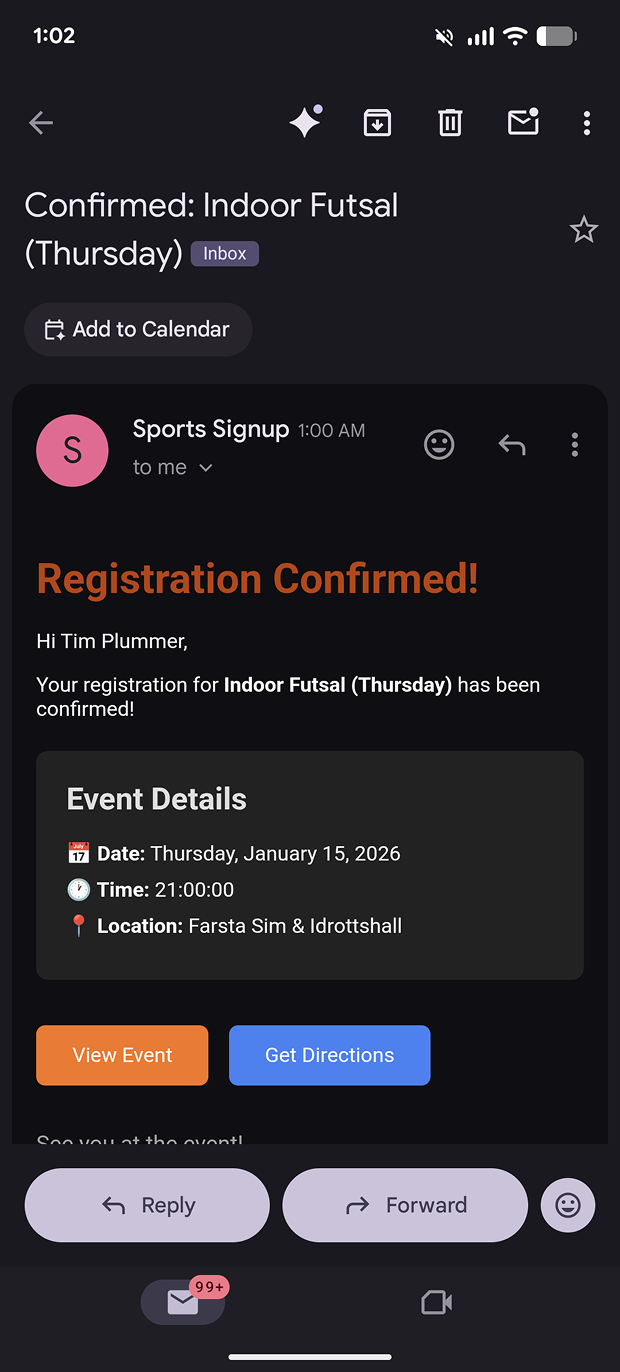
After a good deal of back and forth with my agent, we managed to get the core functionality working in a secure and stable way. We also managed to get a ton of new functionality in there, like user account signups via Google OAuth, email notifications, get directions, and add to calendar.
Home
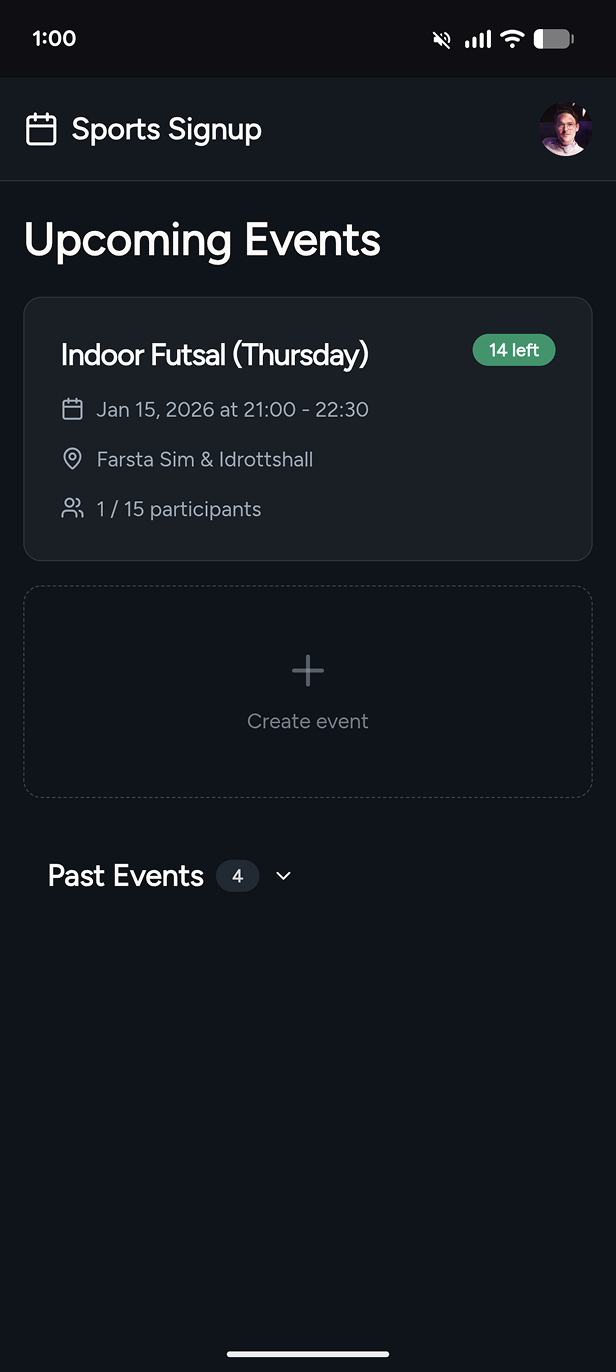
Event creation
event page
confirmation
I also added a lot functionality to make my life easier as the site admin and primary event organizer, like auto-filling place names using the Google Places API, allowing admins to duplicate events, and adding an admin-only user management page.
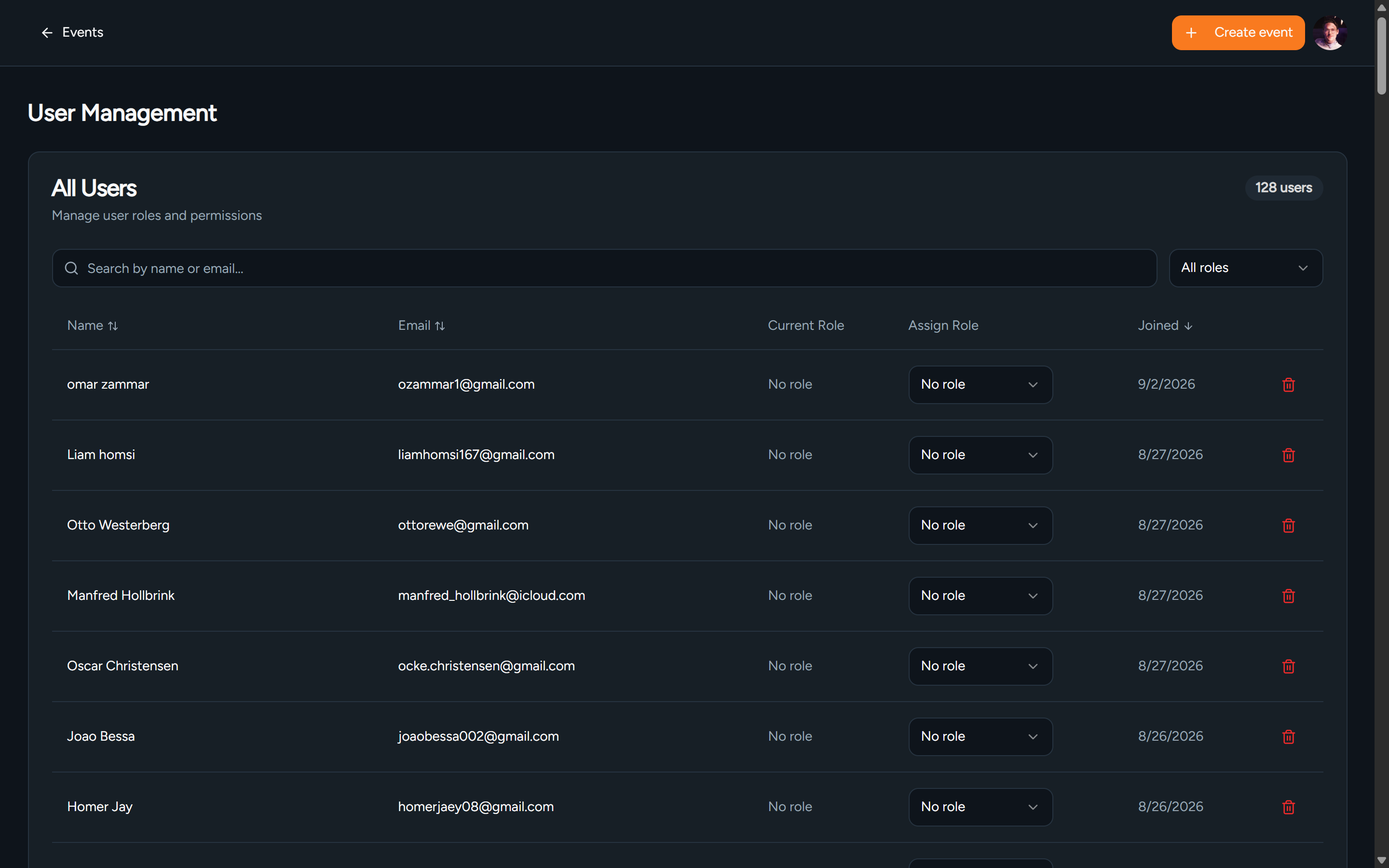
Admin page for user management
Going live and learning
I enlisted a few beta testers from my group chat to help me work out some of the kinks, and then the site was suddenly good enough to start using properly. Since we started using it, it has been a massive time saver and quality of life improvement for me and everyone else in my group. I got a lot of great positive feedback and some constructive suggestions, and it means we can now spend more time playing football and less time figuring out who got accidentally removed from the list by a hapless newcomer.
There’s still more I can do to make it better, and a few unexpected consequences of the system working the way it does. For example, I deliberately made it very easy for users to remove themselves from the list after they sign up because life happens, but it’s actually so easy now that we end up seeing a lot of last-minute dropouts from flaky group members and it sometimes means we don’t have enough players. I’ve been contemplating adding a behavior tracker that penalizes users for dropouts or no-shows and suspends them after three strikes. As an organizer, I could also benefit from an event log so that I can keep close track of who signs up and who drops out with exact timestamps.
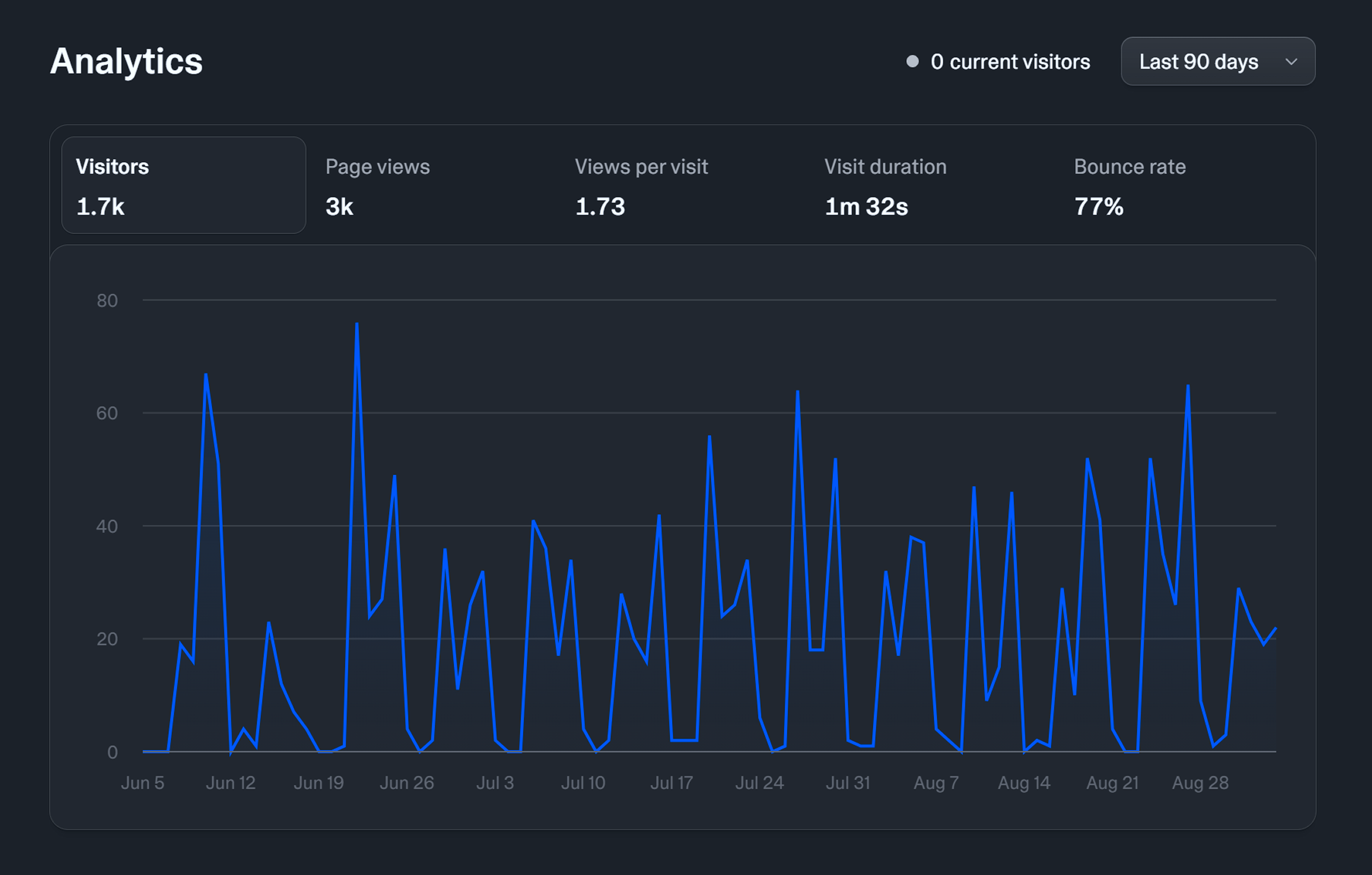
The site is getting modest but consistent usage (data from June - Aug 2026)